Instant vocabulary lookup
Select text on a webpage to see meanings without opening a new tab.
ULTIMATEWORK / PRODUCTS / VOCABLENS
Learn English vocabulary as you browse, with translations, contextual explanations, images, and pronunciation in a popup without switching tabs.
Learn English vocabulary as you browse, with translations, contextual explanations, images, and pronunciation in a popup without switching tabs.
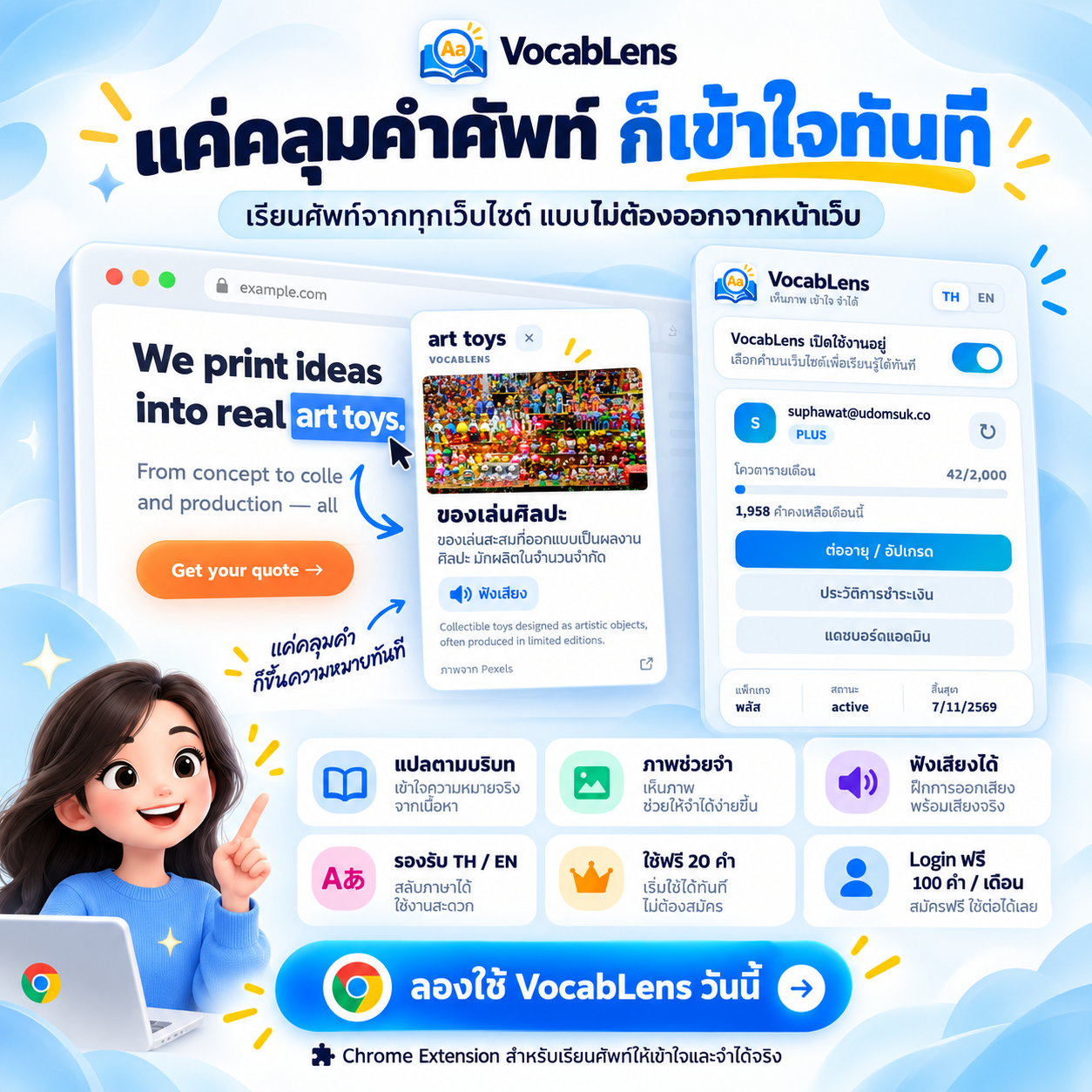
Key features and product screenshots, side by side.
Select an image to view it full size
Select text on a webpage to see meanings without opening a new tab.
Understand words based on the passage you are reading.
See relevant imagery when available and suitable for use.
Practice how words are pronounced.
Supports plan-based access and lookup allowances.
Highlight a word or phrase on a webpage.
View meaning and context in the popup.
Use visuals and pronunciation to reinforce learning.
A Chrome extension for learning vocabulary while reading webpages.
No. Explanations appear in a popup on the current page.
Confirm live billing plans and lookup limits before publishing specific prices or allowances.
Learn more or contact the UltimateWork team.